

The SS5 CrossLink Roof LED Lightbar Kit for the 2017-2025 Can-Am Maverick X3 mounts an eight-pod CrossLink lightbar to your roof for serious off-road illumination. This bolt-on, plug-and-play kit features selectable backlight colors, multiple beam patterns, and stainless steel brackets built for harsh conditions. Here's the full walkthrough.
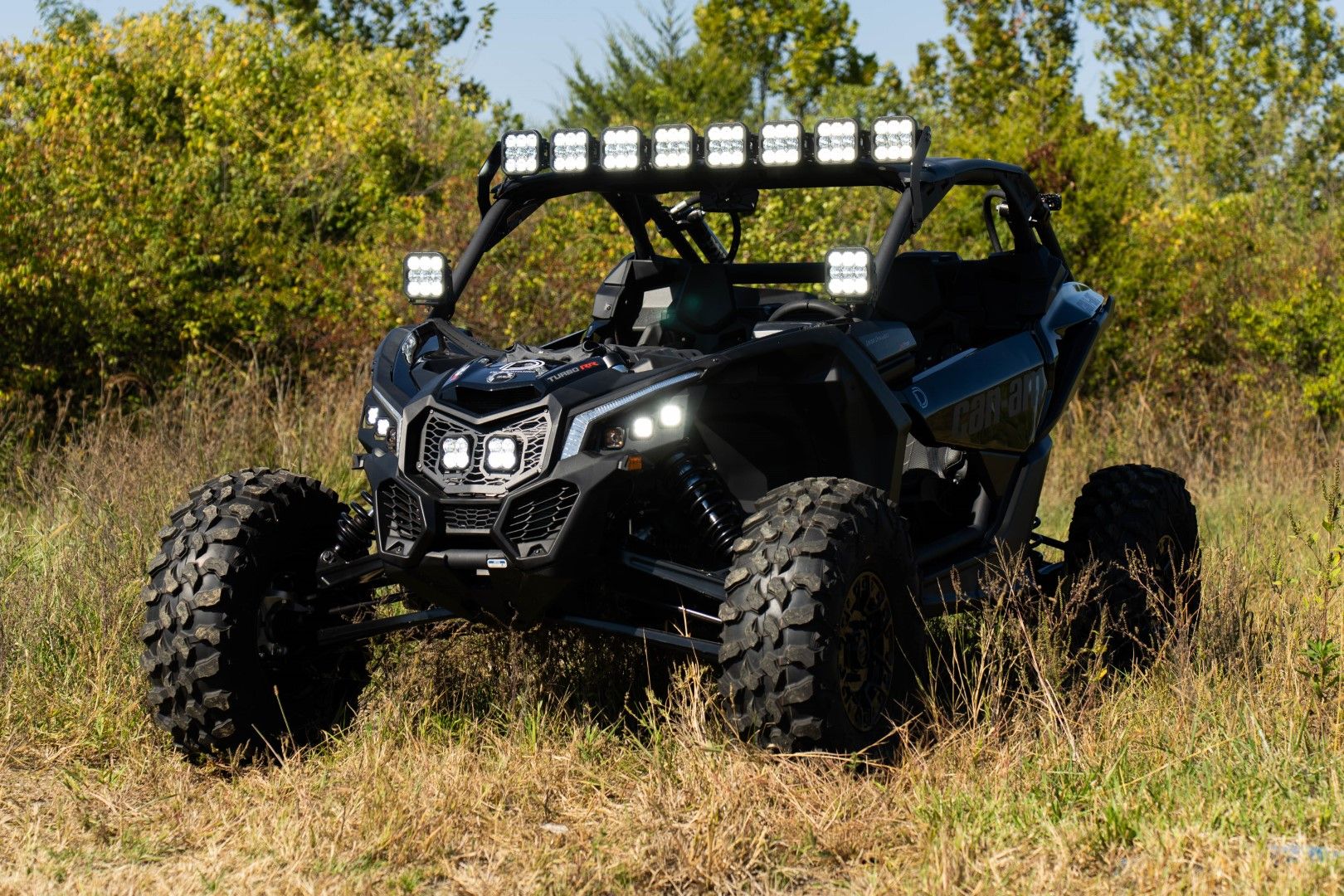
Table of Contents
- Installation Video
- Tools Required
- Installation Instructions
- Questions About the Install?
- Shop Can-Am Maverick X3 Lighting at Ess K Customs
Installation Video
Tools Required
- 10mm socket and wrench
- 13mm wrench and socket
- 18mm ratchet
- T30 Torx bit
- Trim removal tool
- Extension bar
- Zip ties
Installation Instructions
Step 1 — Prepare the Passenger Seat and Console
Disconnect the passenger seat belt harness. Adjust the seat forward and use an 18mm ratchet to remove the two gold locking nuts behind the seat. Move the seat all the way back and use a 13mm wrench and ratchet to remove the two front mounting bolts. Lift the seat out and set it aside. Remove the access panels along the passenger-side console by pulling them away from the retention tabs to access the battery.
Step 2 — Disconnect the Battery and Route the Harness
Use a 10mm socket to disconnect the positive battery lead and secure it away from the terminal. Peel back the rubber cover on the bus bar, loosen the positive and negative connections with a 10mm ratchet, and add the CrossLink harness leads. Route the switch leads to your desired location, avoiding moving parts. Connect the provided toggle switch and confirm functionality before final placement.
Step 3 — Route the Harness to the Roof
Using a T30 Torx bit, remove one bolt on the outer cowl. Pull the cowl away and run the DT connector up through to the roof. On the passenger side of the roof, remove the two quick-release pins by turning counterclockwise. Lift the roof slightly and run the harness along the roll bar to the front corner. Pull through approximately 5 inches of wire and secure the roof back in place.
Step 4 — Mount the Roof Brackets
Position the mounting bracket on the passenger side of the roof and secure it using the included bolts and washers. On the inside of the roof, secure the bracket with the provided washers and locking nuts. Tighten everything with a 10mm socket and wrench. Repeat for the driver's side.
Step 5 — Assemble the CrossLink Lightbar
Align the SS5 lightbar to the first notch on the CrossLink hardware. Once assembled, use a 10mm socket to secure both support link mounts to the underside of the CrossLink hardware after the third pod on both sides.
Step 6 — Mount the CrossLink Lightbar
With a helper, lift the CrossLink lightbar into place. Line up the top two mounting points with the through-holes of the brackets and secure with the included 10mm bolts on both sides. Center and tighten the top bolt, then the lower bolt. While your helper pushes out on the CrossLink assembly, adjust the support link mounts to press against the roof and tighten with a 13mm wrench and socket. Repeat for the other support link mount.
Step 7 — Connect and Test the Harness
Plug the CrossLink harness into each pod, with the male end on the passenger side. Connect the DT connector from the roof harness to the CrossLink harness. Reconnect the positive battery lead and test the lightbar — main beams and selectable backlights should operate as intended.
Step 8 — Secure Wiring and Final Adjustments
Secure all loose wiring with zip ties and ensure connections are routed away from hot or moving parts. Reinstall the panels, seat, and seatbelt harness. To adjust lightbar aim, loosen the 10mm bolts, tilt to the desired position, and retighten. The install is complete.
Questions About the Install?
If you run into any issues during the installation, contact Ess K Customs — as an authorized Diode Dynamics dealer, we're here to help.
Shop Can-Am Maverick X3 Lighting at Ess K Customs
Looking for lighting upgrades for your Can-Am Maverick X3? As an authorized Diode Dynamics dealer, Ess K Customs carries genuine products with full manufacturer warranty.
Browse Can-Am Maverick X3 Lighting at Ess K Customs →
This install guide applies to Diode Dynamics SKUs: DD7889P, DD7890, DD7891, DD7892, DD7893