

The 4th Brake Light Kit for the 2015–2021 Subaru WRX/STi adds a high-output LED brake and reverse light to the lower rear bumper for increased visibility and a clean, factory-style appearance. This is a bolt-on install with no permanent vehicle modifications. Here's the full walkthrough.
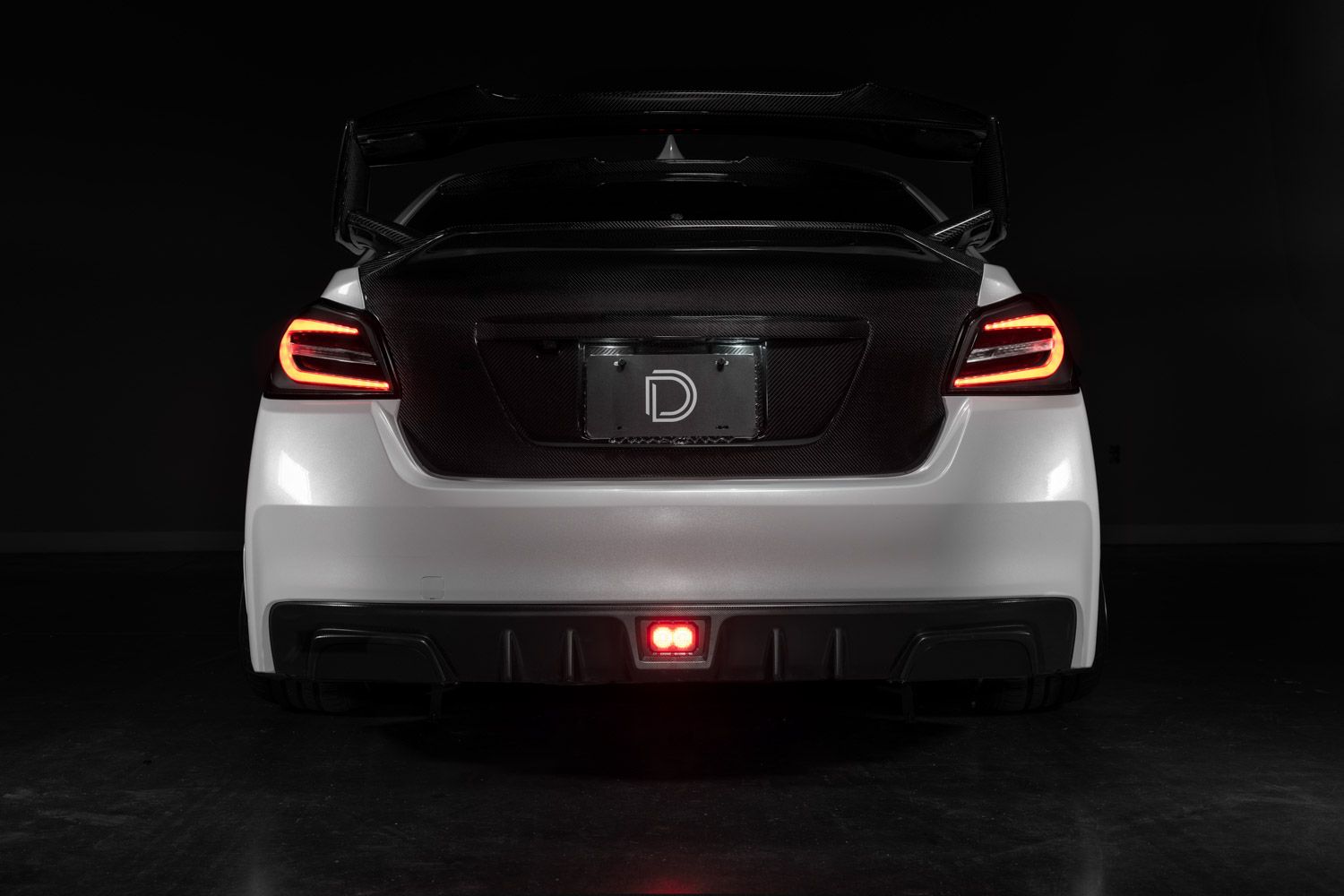
Table of Contents
- Tools Required
- Installation Instructions
- Questions About the Install?
- Shop WRX/STi 4th Brake Light Kit at Ess K Customs
Tools Required
- 8mm socket
- Plastic trim removal tool
- Razor blade or utility knife
Installation Instructions
Step 1 — Open the trunk and remove the three plastic clips securing the center plastic trunk trim panel.
Step 2 — Lift out the trunk floor panel and remove the foam tool holder underneath.
Step 3 — Pull upward on the center plastic trim piece to release it from the trunk.
Step 4 — Remove the plastic clip near the taillight and gently move the trunk carpet out of the way.
Step 5 — Unplug the factory taillight connector behind the trunk trim.
Step 6 — Connect the supplied inline harness between the factory taillight connector and the OEM connector.
Step 7 — Push the trunk carpet back into position and reinstall the plastic retaining clip.
Step 8 — Make sure the connector is routed cleanly and not trapped behind the carpet.
Step 9 — Locate the factory rubber grommet in the trunk floor and remove it.
Step 10 — Using a razor blade, cut along the molded guide lines in the supplied rubber grommet.
Step 11 — Confirm the rubber grommet is properly cut and ready for the connector to pass through.
Step 12 — Route the connector through the modified rubber grommet.
Step 13 — Feed the connector through the opening in the trunk floor where the factory grommet was removed.
Step 14 — Continue feeding the connector downward toward the rear bumper area.
Step 15 — Press the supplied rubber grommet firmly into the trunk floor opening to seal it.
Step 16 — Remove the four plastic push clips located underneath the rear bumper.
Step 17 — Use a trim removal tool to remove the rectangular center insert from the lower rear bumper.
Step 18 — Route the wiring connector into the opening behind the bumper.
Step 19 (Optional) — Leave the purple wire connected to enable brake light strobing. Cut the purple wire to disable the strobe if desired.
Step 20 — Connect the safety strobe module inline with the wiring connector.
Step 21 — Slide the supplied clip nuts onto the mounting bracket.
Step 22 — Push the brake light pod into the mounting bracket until fully seated.
Step 23 — Install the provided screws to secure the pod to the bracket.
Step 24 — Plug the wiring connector into the brake light pod.
Step 25 — Push the assembled brake light into the rear bumper opening.
Step 26 — From behind the bumper, position the support bracket against the brake light bezel.
Step 27 — Install the bolts to secure the support bracket to the brake light bezel.
Step 28 — Install the plastic push clips into the sides of the support bracket.
Step 29 — Zip-tie any loose or excess wiring to prevent movement.
Step 30 — Test the brake light for proper operation. The install is complete.
Questions About the Install?
If you run into any issues during the installation, contact Ess K Customs — as an authorized Diode Dynamics dealer, we're here to help.
Shop WRX/STi 4th Brake Light Kit at Ess K Customs
Ready to add a 4th brake light to your WRX or STi? As an authorized Diode Dynamics dealer, Ess K Customs carries genuine products with full manufacturer warranty.
Shop 2015-2021 Subaru WRX/STi 4th Brake Light Kit →
This install guide applies to Diode Dynamics SKU: DD8066