

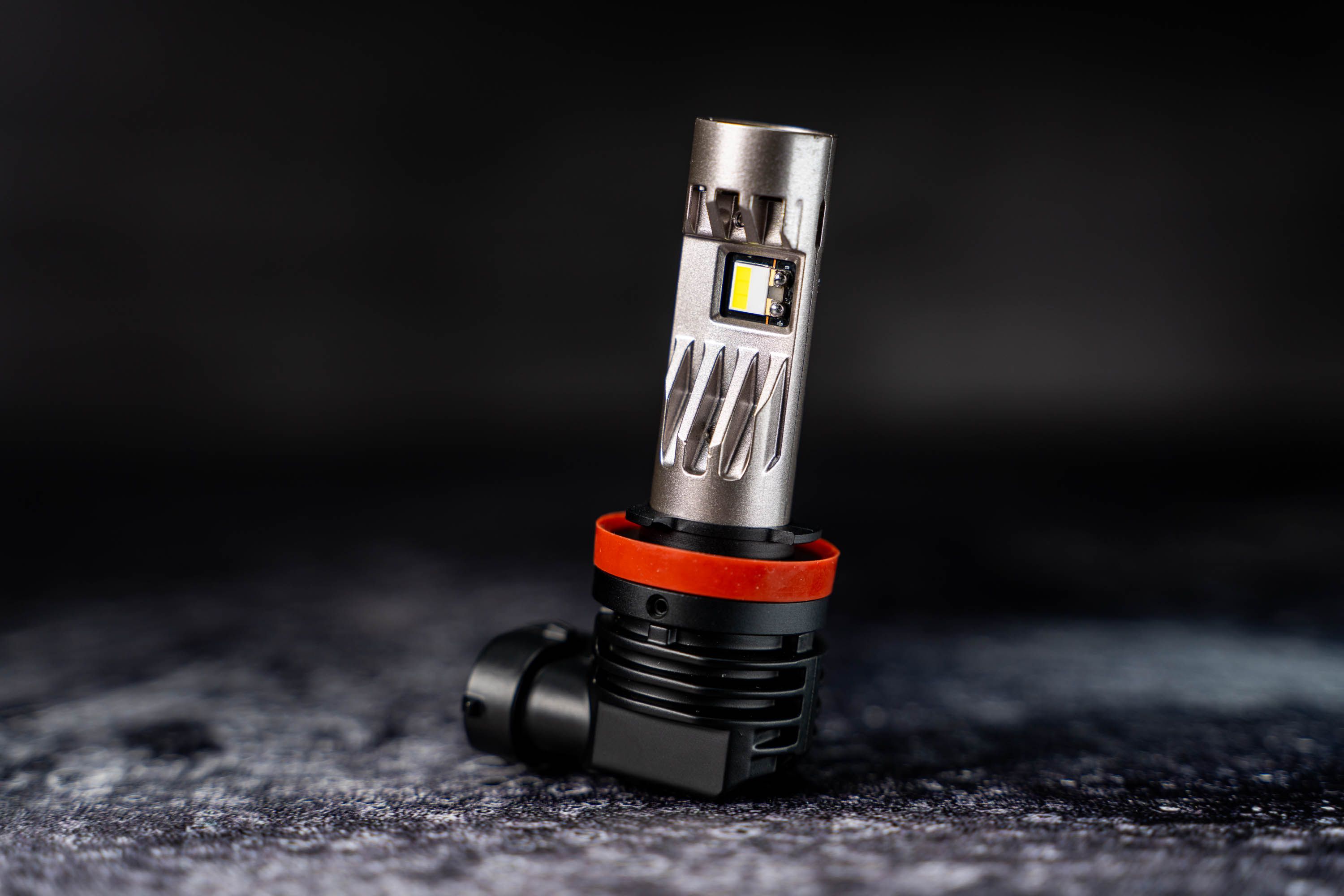
The Diode Dynamics SL2 Pro LED Bulb replaces the popular SL1 with next-generation TST LED technology, an integrated top-mounted fan, and internal driver. It's a direct plug-and-play replacement for factory halogen bulbs with a significant upgrade in output. Here's how to install them.
Application Notice: LED bulbs are legal in the USA for fog light use only. Not compliant with DOT/FMVSS108 and not street legal in the USA for headlights. Legal for off-road use. International legality varies by country. This regulation applies to all LED bulb brands.
Table of Contents
- Installation Video
- Installation Instructions
- Collar Adjustment Video
- Collar Adjustment Instructions
- Troubleshooting
- Questions About the Install?
- Shop SL2 Pro LED Bulbs at Ess K Customs
Installation Video
Installation Instructions
Step 1 — Remove the Stock Bulbs
Referencing your vehicle's owner manual or online resources, locate and remove your factory bulb. In most cases, disconnect the factory electrical connector and turn the bulb counterclockwise to remove.
Step 2 — Install the SL2 Pro LED Bulbs
Install the SL2 Pro into the bulb sockets and turn to lock into position. In some applications, fitment may be tight — align the tabs properly, push evenly and firmly, then apply adequate rotational force. If needed, adjust or remove the red rubber o-ring and try again.
Step 3 — Check Bulb Alignment
Make sure the bulb is aligned so light shines out to the sides horizontally. If the SL2 Pro is tilted, adjust the rotatable collar (see below). Note: H4, H13, and H7 SL2 Pro bulbs use a fixed collar design and are pre-aligned — no collar adjustment needed.
Step 4 — Reinstall the Factory Connector
Plug the factory connector into the SL2 Pro. If your order included Anti-Flicker modules, plug the Anti-Flicker module into the factory connector first, then connect the module to the SL2 Pro.
Step 5 — Test and Reassemble
Test for functionality. If the bulb doesn't illuminate, unplug the connector, flip it 180°, and reconnect — the bulb requires correct polarity. Reassemble any removed components. The install is complete.
Collar Adjustment Video
Collar Adjustment Instructions
Note: H4, H13, and H7 SL2 Pro bulbs use a fixed collar — no adjustment is necessary or possible for these sizes.
Step 1 — Using the provided hex tool, loosen the two collar screws on opposite ends of the collar. Do not fully remove them.
Step 2 — Rotate the collar by hand using the tabs to achieve vertical positioning once installed. The LEDs should shine out to the sides horizontally when in the housing.
Step 3 — Once aligned, re-tighten both collar screws with the hex tool.
Troubleshooting
No Output: Disconnect the electrical connector, flip it 180°, and reinstall.
Incorrect Beam Pattern: Inspect the bulb mounting position. Usually caused by misalignment or rotation — make sure the bulb is vertically aligned in the socket and adjust the collar if needed.
Flickering: You may need Anti-Flicker modules for your vehicle's electrical system. Contact Ess K Customs for assistance.
Fitment Issues: Confirm the SL2 Pro bulb size matches your original. If too tight, carefully align straight with tabs in position and push firmly. Try swapping the red o-ring with the one from your factory bulb if needed.
Questions About the Install?
If you run into any issues during the installation, contact Ess K Customs — as an authorized Diode Dynamics dealer, we're here to help.
Shop SL2 Pro LED Bulbs at Ess K Customs
Ready to upgrade your halogen bulbs? As an authorized Diode Dynamics dealer, Ess K Customs carries the full SL2 Pro LED bulb lineup with full manufacturer warranty.