

The Diode Dynamics RGBW Multicolor LED Boards for the 2010-2013 Camaro RS and 2012-2015 Camaro ZL1 replace the factory LED panels inside your headlights, giving you full color control over the factory "halo" rings. These are a direct replacement for the stock LED boards. Here's the full walkthrough.
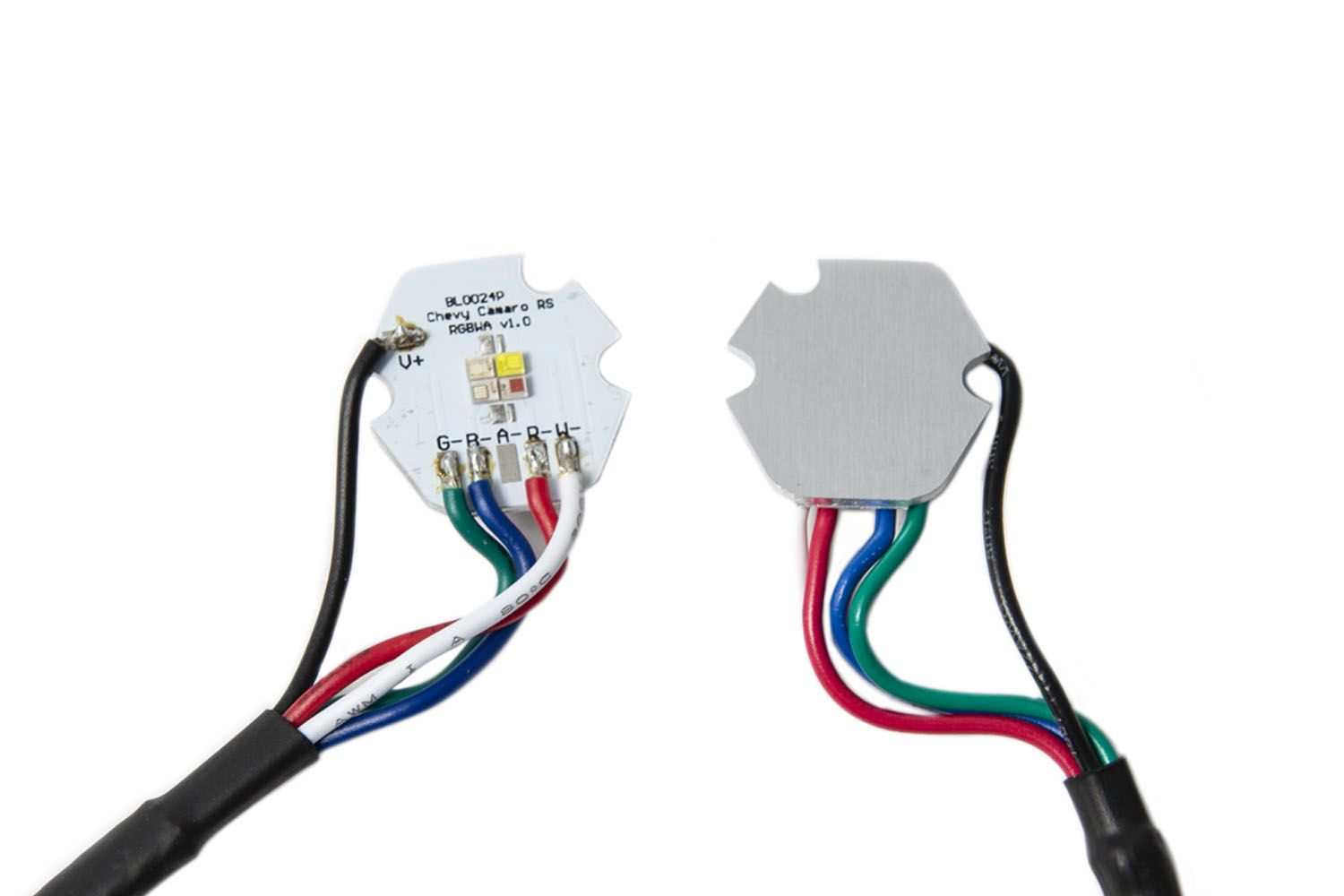
Table of Contents
- Installation Video
- Tools Required
- Installation Instructions
- Questions About the Install?
- Shop Camaro Lighting at Ess K Customs
Installation Video
Tools Required
- T-10 Torx bit
- Ratcheting wrench
Installation Instructions
Important: Headlights must be opened before proceeding. This requires heating and prying the lens from the housing. Professional installation is strongly recommended for this step — contact Ess K Customs if you need help locating an installer.
Step 1 — Disconnect the Factory LED Board
Remove the lens from the headlamp. Disconnect the factory LED board by pressing on the white clip and pulling it straight back. Set the back of the headlamp assembly aside.
Step 2 — Remove the Heatsink
Looking at the lens assembly, remove the four screws holding the heatsink to the black inner shroud. Pull up on the inner shroud, then pull straight up on the heatsink to release it. Set the heatsink aside.
Step 3 — Install the New LED Board
Remove the factory LED board and replace it with your new Diode Dynamics LED board using the same alignment pins. Make sure the LED chips face down. Reinstall the heatsink using the same alignment holes and replace the four original screws. Run the wires through the dust cap in the headlamp, sealing any holes you create. Replace the headlamp lens and repeat for the other headlamp.
Step 4 — Wire the LED Board
Connect the LED board to the RGBW driver. Then connect the driver to a Diode Dynamics LED controller (sold separately). Important: Do NOT plug the LED panel directly into the controller — the LEDs must go through the driver first. Connect your controller to 12V power and ground. Mount the drivers and controllers in a location away from the engine block to avoid excessive heat, and tuck all wires. Test thoroughly, reseal the headlight, and reinstall onto the vehicle. The install is complete.
Questions About the Install?
If you run into any issues during the installation, contact Ess K Customs — as an authorized Diode Dynamics dealer, we're here to help.
Shop Camaro Lighting at Ess K Customs
Ready to upgrade your Camaro's halos? As an authorized Diode Dynamics dealer, Ess K Customs carries genuine RGBW LED boards with full manufacturer warranty.
Browse Camaro LED Boards at Ess K Customs →
This install guide applies to Diode Dynamics SKU: DD2215